
Our substrate calculator turns the inside footprint and your chosen bed depth into material quantities. It can multiply identical enclosures, add an allowance, calculate a separate drainage layer, split a custom mix by volume, and estimate whole bags and purchase cost.
Open our Substrate & Mix Calculator
Follow the numbered steps in each section. Numbers on screenshots match the steps directly below them. Example values are for learning; replace them with your own information.
In this guide
Enter the usable footprint and depth · Set allowance and drainage separately · Choose or build a mix · Enter package sizes and prices · Read totals, bags, and leftovers · Save a reusable mix
1. Enter the usable footprint and depth
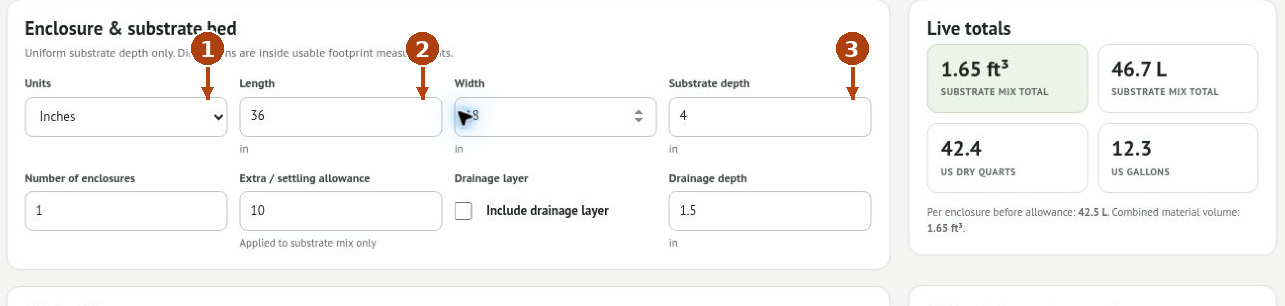
1. Choose Units first: Inches or Centimeters. Use inside usable dimensions rather than the enclosure’s outside dimensions.
2. Enter Length and Width. Set Number of enclosures to the number of identical footprints you are preparing.
3. Enter Substrate depth. This is the depth of the substrate bed, not total enclosure height.
For the worked example, use 36 × 18 inches, 4 inches of substrate, and one enclosure. The base volume is 1.50 ft³, or about 42.5 L. The calculator assumes a rectangular footprint and uniform depth; slopes and large furnishings change actual use.
2. Set allowance and drainage separately
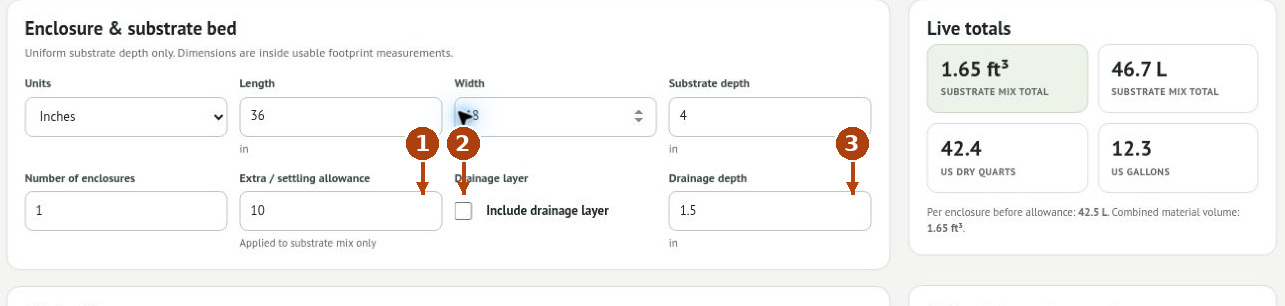
1. Enter the Extra / settling allowance as a percentage. A 10% allowance raises the example substrate volume to 1.65 ft³, about 46.7 L.
2. Check Include drainage layer only when your enclosure uses one.
3. Enter its separate Drainage depth. Review the drainage total separately from the substrate mix.
The extra allowance is applied to the substrate mix only. Drainage depth is calculated as an additional layer; it is not subtracted from substrate depth. If you want a combined depth of 5.5 inches with 1.5 inches of drainage, enter 4 inches for substrate and 1.5 inches for drainage.
3. Choose or build a mix
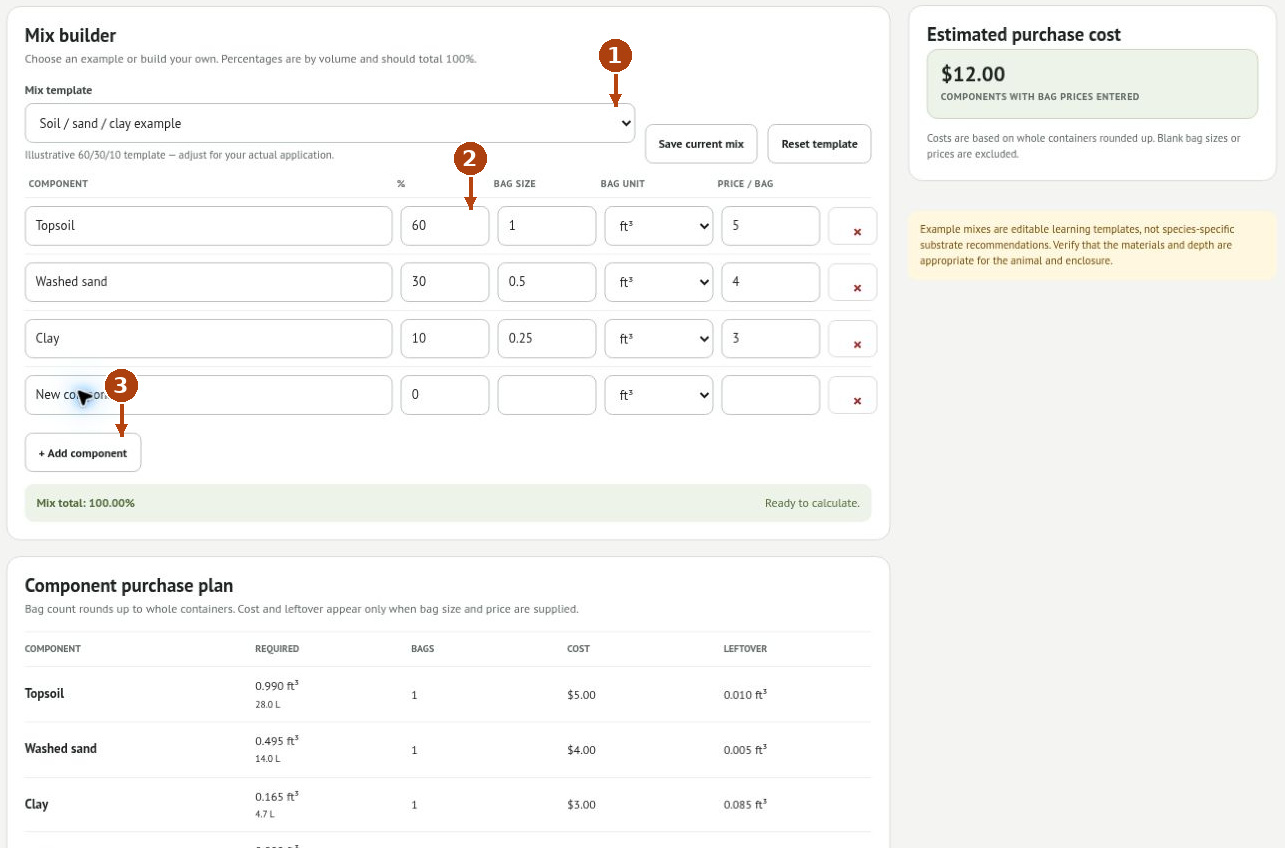
1. Choose a Mix template, or select Custom mix and enter your own components. Templates are editable examples, not species-specific recommendations.
2. Enter each component’s Percent by volume. The completed mix should total 100%. The example shown uses 60% topsoil, 30% washed sand, and 10% clay.
3. Use + Add component for another material and the row’s × button to remove one. A new row begins at 0%; assign an intentional percentage and rebalance the others.
For the one-enclosure example with 10% allowance, the 60/30/10 split requires 0.990 ft³ topsoil, 0.495 ft³ sand, and 0.165 ft³ clay. These amounts illustrate the calculation only. Choose materials and depth suitable for the animal and enclosure.
4. Enter package sizes and prices
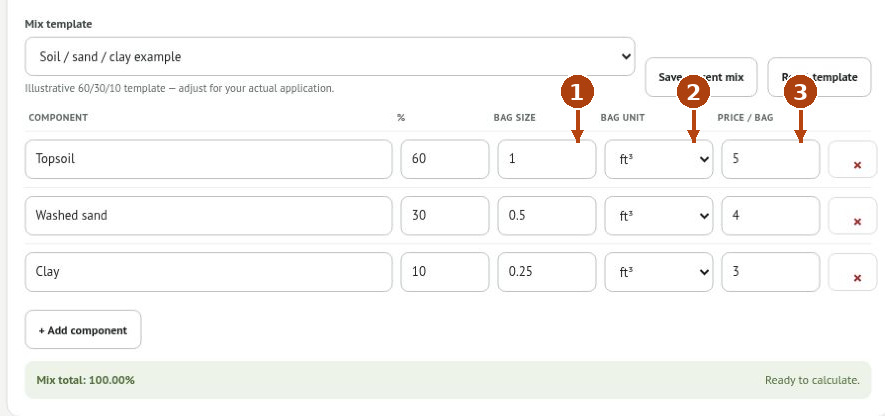
1. Enter each material’s Bag size from its packaging.
2. Match the Bag unit: ft³, US dry qt, US gal, or L. Keep volume measures distinct from weights.
3. Enter Price per bag. Repeat for every component you want included in the purchasing estimate.
Example package inputs are 1 ft³ topsoil at $5, 0.5 ft³ sand at $4, and 0.25 ft³ clay at $3. For the 1.65 ft³ mix, that requires one bag of each, costing $12. Package prices are examples, not current retail prices. The component purchase plan does not price the separate drainage material.
5. Read totals, bags, and leftovers
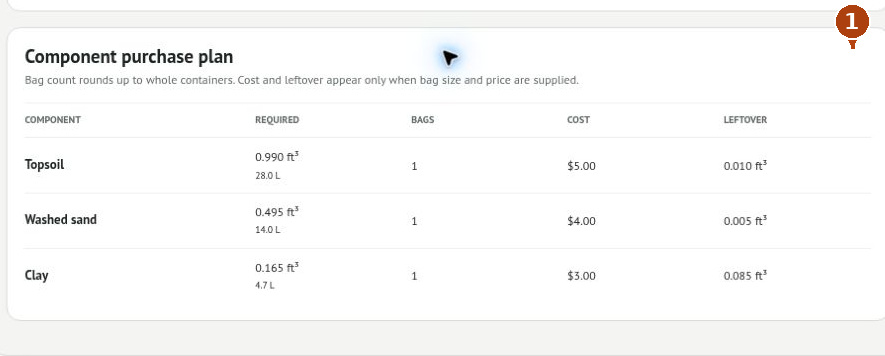
1. Review Component purchase plan. Required is the amount used in the mix; Bags rounds up to whole packages; Cost uses those whole bags; Leftover is material remaining from the purchased quantity.
In the example, leftovers are 0.010 ft³ topsoil, 0.005 ft³ sand, and 0.085 ft³ clay. Live totals also show the mix in liters, cubic feet, US dry quarts, and US gallons. Missing bag sizes or prices leave the purchase estimate incomplete; $0.00 does not establish that materials are free.
6. Save a reusable mix
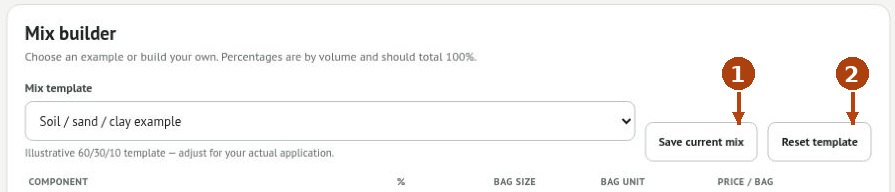
1. Click Save current mix to save the recipe for reuse. Give it a recognizable name when prompted; find the saved recipe through Mix template.
2. Reset template restores the selected template’s recipe. Record custom percentages and purchasing inputs before resetting anything you need to keep.
A saved mix is a recipe starting point. Recheck the enclosure dimensions, quantity, allowance, and current bag prices whenever you use it for another project.
Troubleshooting
The mix does not total 100%
Adjust component percentages. Check for an added row or a removed component that left the total incomplete.
The result is much too large
Check inches versus centimeters, substrate depth versus enclosure height, and enclosure count.
The cost looks too low
Enter every relevant bag size and price, and calculate drainage purchasing separately.
You need fewer bags than the tool shows
Whole bags are rounded up for this calculation. Account separately for usable material already on hand.