
Our waitlist sends emails when matching animals are available. Joining does not reserve an animal, guarantee a purchase position, or collect payment.
The numbers on each screenshot match the steps below it. Tap or click a screenshot to enlarge it. On a phone, the same controls may stack vertically.
In this guide
Your details · Preferences and signup · Confirm and respond · Changes and troubleshooting
Start with your contact details
Check Availability first—your next animal might already be listed. Otherwise, open the Waitlist form. Submit a separate entry for each species.
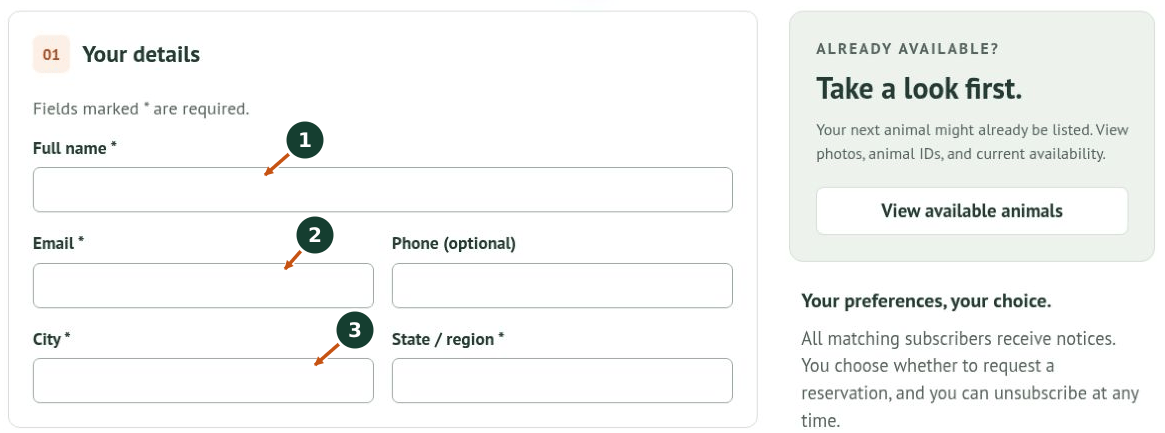
1. Enter your Full name. Fields marked * are required.
2. Enter an Email address you check regularly and verify its spelling. Phone is optional.
3. Enter your City and State / region. Keep a note of the email address you used so we can find your entry if you need help.
Choose preferences and join
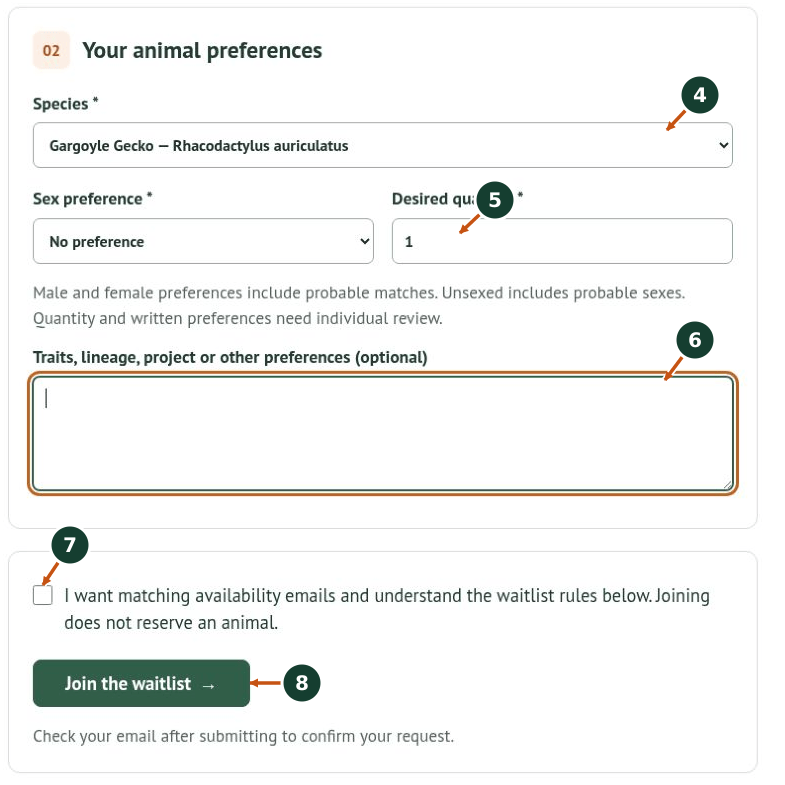
Gargoyle Gecko is selected here only to demonstrate the form. Choose the species you actually want.
4. Choose your Species. If it is not offered, contact us or check back; do not select another species as a substitute.
5. Choose Sex preference and Desired quantity. Male and female preferences include probable matches. Unsexed includes probable sexes, as noted on the form.
6. Use Traits, lineage, project or other preferences for details that matter. Separate requirements from preferences—for example: “One confirmed female required; color is flexible. Please discuss recorded lineage before approval.”
Important: automatic emails match species and sex only. Written preferences and quantity require individual review. A notice does not mean an animal meets every requirement in your notes.
7. Read How the waitlist works below the form and the consent statement. Check the box if you want matching availability emails and understand the rules.
8. Click Join the waitlist and wait for the result. Correct any errors shown.
Confirm your email, then respond to availability
Confirm: open the confirmation email and follow its link to activate notices. Check spam or junk if needed. Submitting the form and confirming your email are separate steps.
When a notice arrives: open the current listing, check the animal ID, status, sex, price, photos, and notes, and ask about anything essential. If you want the animal, submit a reservation request through Availability. The email itself is not a reservation.
All matching subscribers receive notices. Signup order is visible to us for review, but does not guarantee first refusal, a purchase position, or a hold. Reservations require our approval. Availability, traits, sex, quantities, and timing are not guaranteed.
Keep your entry useful
If your contact details or preferences change, contact us with your signup email, species, and requested change. Do not assume a second signup replaces the first. To stop notices for a species, use the unsubscribe link in an availability email. Keep confirmation and unsubscribe links private.
No confirmation email? Check the spelling and spam folder, then ask us for help. The form will not load? Reload, check JavaScript and content blockers, and use Try loading again if offered. Send persistent issues through our Contact Hub.